01
Forums
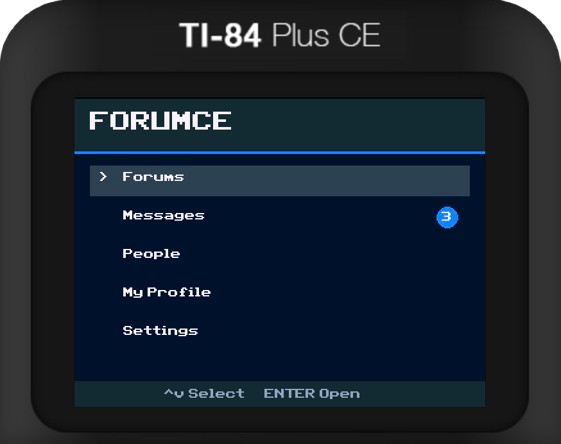
Browse categories, open threads, post replies, and join discussions directly from your TI-84 Plus CE.
ForumCE brings forums, replies, messaging, profiles, and community features directly to the TI-84 Plus CE.
TI-84 Plus CE · USB connection required
FEATURES
Browse categories, open threads, post replies, and join discussions directly from your TI-84 Plus CE.
Send private messages and continue conversations with other ForumCE users.
Create your identity, write a bio, follow users, and build your profile.
Keep track of replies, likes, messages, and activity from the ForumCE community.
ABOUT FORUMCE
ForumCE is an online forum client designed specifically for the TI-84 Plus CE.
Your calculator connects through the ForumCE computer bridge, allowing it to communicate with the ForumCE servers while keeping the calculator client lightweight.
ForumCE is intentionally text-focused, keeping discussions fast and practical on calculator hardware.
FORUMCE v1.1
ForumCE Connect handles your account, USB bridge, server connection, and calculator update checks from one desktop app.
Windows 10/11 x64 is now supported. macOS and Windows may show a security warning because ForumCE Connect is not yet fully code-signed/notarized.
CALCULATOR SETUP
ForumCE Connect automatically downloads and verifies calculator updates. TI Connect CE performs the final file transfer to your calculator on both macOS and Windows.
SUPPORT FORUMCE
ForumCE is free to use. Optional support can help with server costs and continued development.